
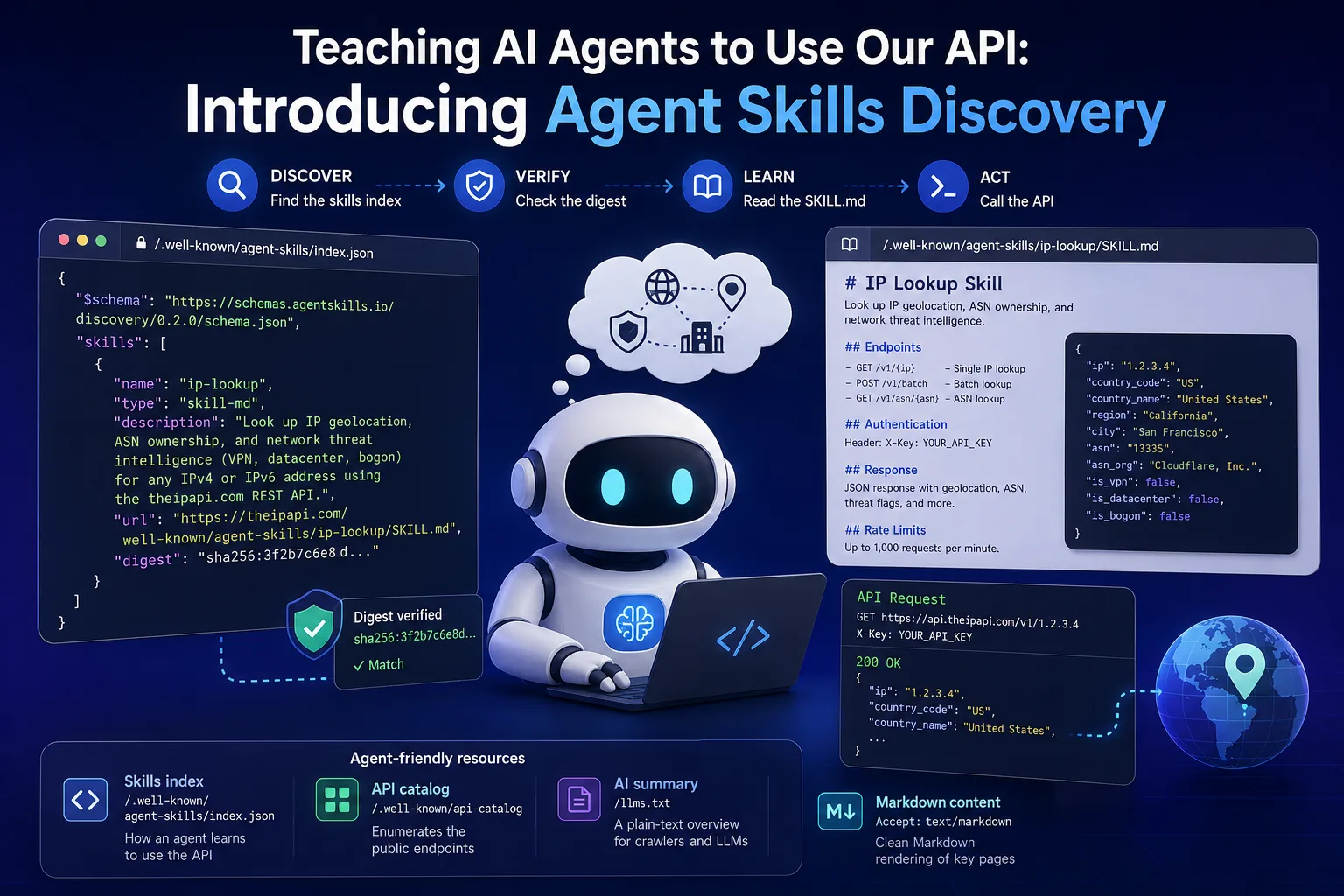
If you spend your day inside a coding agent like Claude Code, Codex, or OpenCode, you've probably hit this moment: you're debugging a log full of IP addresses, or wiring up geo-based logic, and you want to know where an IP is and who owns it - without leaving your terminal to read API docs.
Now you don't have to. We've published an IP Lookup skill that teaches your coding agent how to use The IP API. Install it once, then just ask in plain language - "where is 8.8.8.8 and who owns it?" - and your agent makes the call for you.
What is a skill?
A skill is a single SKILL.md file - a short set of instructions an agent reads on demand to learn a workflow. Our skill documents our endpoints, authentication, response shape, and limits, so your agent knows exactly how to call the IP, batch, and ASN endpoints.
The nice part: Claude Code, Codex, and OpenCode have all converged on the same Agent Skills standard, so the exact same file works in all three. You just drop it in the right folder.
Install it
Pick your tool. Each command fetches the skill straight from our site into the folder your agent watches. You can also review the SKILL.md file before installing it.
Claude Code
mkdir -p ~/.claude/skills/ip-lookup
curl -fsSL https://theipapi.com/.well-known/agent-skills/ip-lookup/SKILL.md \
  -o ~/.claude/skills/ip-lookup/SKILL.md
The skill loads automatically - no restart needed. (If ~/.claude/skills didn't exist before, restart your session once so Claude Code starts watching it.)
Codex
mkdir -p ~/.agents/skills/ip-lookup
curl -fsSL https://theipapi.com/.well-known/agent-skills/ip-lookup/SKILL.md \
  -o ~/.agents/skills/ip-lookup/SKILL.md
OpenCode
mkdir -p ~/.config/opencode/skills/ip-lookup
curl -fsSL https://theipapi.com/.well-known/agent-skills/ip-lookup/SKILL.md \
  -o ~/.config/opencode/skills/ip-lookup/SKILL.md
Already use both Claude Code and OpenCode? OpenCode also reads
~/.claude/skills/, so a single Claude Code install covers both - no need to copy the file twice.
That's the whole setup. Each tool discovers the skill by its description and pulls in the full instructions only when a task actually needs it, which keeps the idle context cost small.
Use it
Just describe what you want in natural language. Your agent recognizes the task, loads the skill, and makes the request:
- "Using The IP API, where is
8.8.8.8located and who owns it?" - "Enrich these IPs from my log with country and ASN:
1.1.1.1,9.9.9.9,8.8.4.4." - "Is
45.83.220.4a VPN or datacenter address?" - "What organization is behind ASN 15169?"
In Claude Code you can also trigger it explicitly by typing /ip-lookup. In Codex, mention it with $ip-lookup.
You'll need an API key
The skill authenticates with your API key (passed as ?api_key=YOUR_API_KEY). Store it in the THEIPAPI_API_KEY environment variable so you do not paste it into prompts, logs, or source code. Your agent can then include it in requests after you grant network access, if your tool asks for approval. Don't have one yet? Sign up for a free key (1,000 lookups/day) and you're ready to go.
Why we did this
More and more development happens through an agent rather than a browser. Publishing a skill means The IP API is something your agent can learn and use on its own - no copy-pasting docs into a prompt, no guessing at endpoints. It's the same reason we expose a clean AI summary at /llms.txt and an API catalog: we'd rather meet your tools where they already are.
Get started
Install the skill, grab a free API key, and ask your agent its first IP question. If you build something interesting with it - or want a skill for a workflow we haven't covered - let us know.